Features
Dual-Frame View
- Annotate two frames simultaneously for accurate tracking.
- Toggle with magnifying glass icon between dual and single frame view.
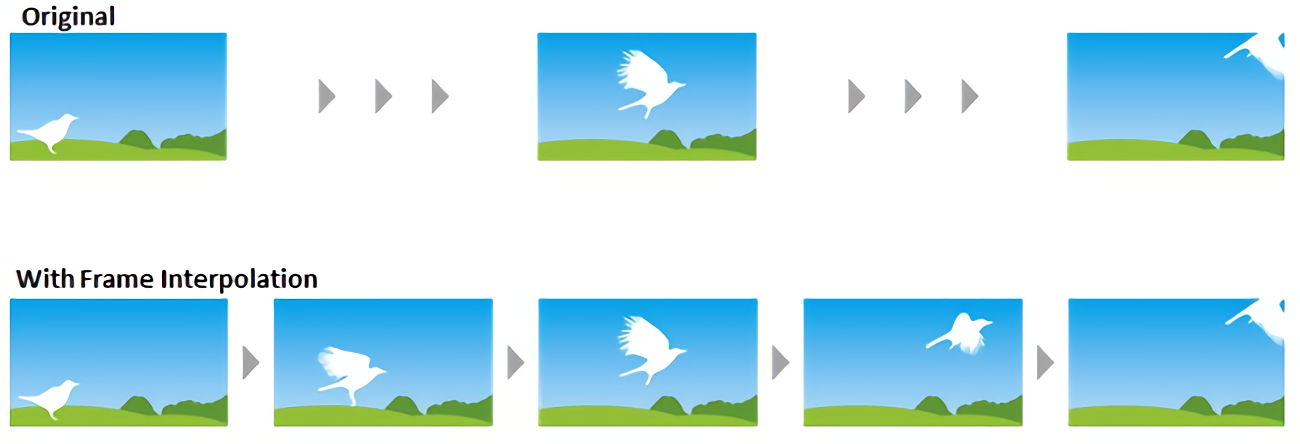
Between-frame interpolation
Automatically generate annotations for frames between keyframes, reducing manual labeling effort while maintaining accuracy.
Navigation & Playback
- Navigation bar: scrub video, adjust frames individually, use keyboard shortcuts.
- Play/Stop buttons for real-time playback.
- Keyframe management: mark frames, jump to previous/next, or use target button.
- Grayscale mode for better overlay visibility.
Object Categories
- Configure labels, colors, and scope.
- Configurations persist across sessions.
Annotation Workflow
- Bounding Boxes: click-drag, assign category, copy to next frame.
- Interpolation: auto-fill annotations between keyframes.
- Polygon Regions: click vertices to outline objects.
- Skeletons: annotate keypoints/joints.
- Video Segments: label start/end frames with descriptions.
Key Features Summary
| Feature | Description |
|---|---|
| Dual-frame view | Annotate reference and target frames simultaneously |
| Navigation bar | Scrub, advance, keyframe management, shortcuts |
| Keyframes | Mark frames for quick navigation |
| Annotation types | Bounding boxes, polygons, skeletons, segments |
| Object categories | Custom labels/colors, persisted |
| Copy & adjust | Duplicate annotations across frames |
| Interpolation | Auto-generate annotations between keyframes |
| Grayscale mode | Enhance annotation visibility |
| Open-source & browser-based | No installation required |
Important Terms
| Term | Definition |
|---|---|
| Keyframe | Reference frame for annotation/navigation |
| Bounding box | Rectangular object highlight |
| Polygon region | Vertex-based object outline |
| Skeleton | Joint/keypoint annotation |
| Interpolation | Auto-fill annotations between keyframes |